Send Text to Patient
Updated: 09/23/2026 Views: 18658The Message Center enables users to easily send and receive messages within the practice and communicate with patients through email or text. Text messages can be sent to patient(s) from a provider or service location. If the message is sent to multiple patients, each patient receives individual messages and the other recipients are undisclosed. When a patient replies, the message displays in the Location Inbox folder of the Message Center.
For Application to Person (A2P) approved practices, send direct patient text messages from the dedicated A2P-approved practice phone number.
Note: Do not include PHI as this method is non-secure. To include sensitive information, send the message via the Patient Portal.
Create New Text
|
 |
Compose New Text
|
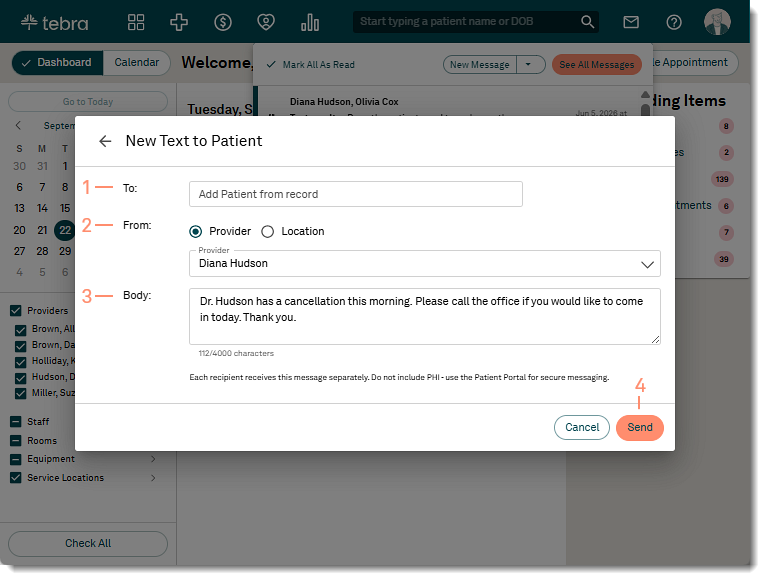 |
Compose New Text (A2P)A2P approved practices can send direct patient text messages from their dedicated A2P-approved practice phone number.
|
 |
Patient Experience: Text MessagesReview examples of text messages sent to the patient.
|
 |