
Enable or Disable AI Message Tagging
AI Message Tagging reduces the mental load of a busy inbox by applying up to three categorical tags to patient and staff messages across SMS, email, and the portal. Enable AI Message Tagging to instantly view message topics, helping your practice respond faster, cut down on administrative work, and focus more on patient care.
For more information about AI Message Tagging, review the AI Message Tagging FAQs.
This feature is only available for Application to Person (A2P) approved practices and is not available for all customers.
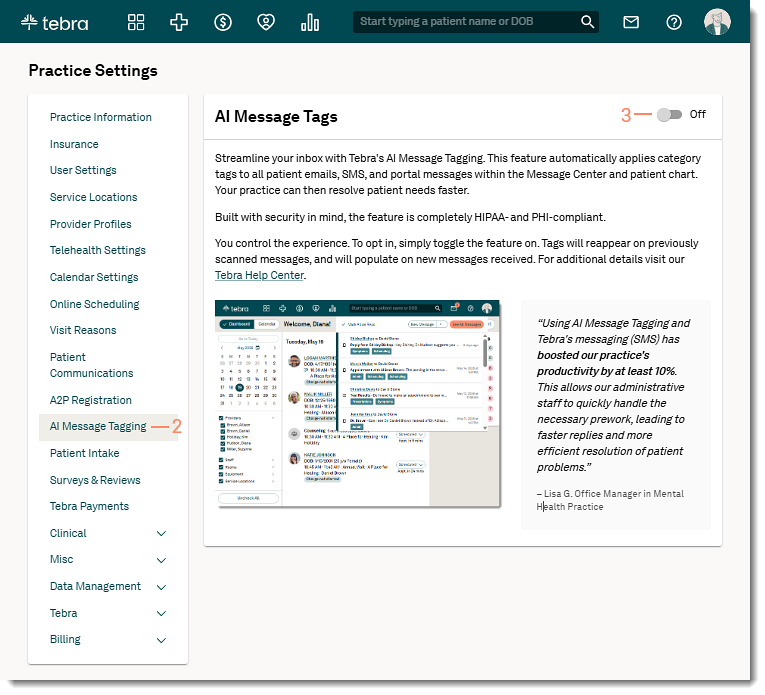
Enable AI Message TaggingBy default, AI Message Tagging is disabled. System Administrators can turn on AI Message Tagging to start tagging all new incoming and outgoing messages.
|
 |
Disable AI Message TaggingTurn off AI Message Tagging for the practice to stop incoming messages from being tagged and remove the tag drop-down option. Current tags will remain and the practice can manually remove them as applicable. If the feature is enabled at a later date, only new incoming or sent messages will be tagged by AI. Previous messages will not be retroactively tagged.
|
 |